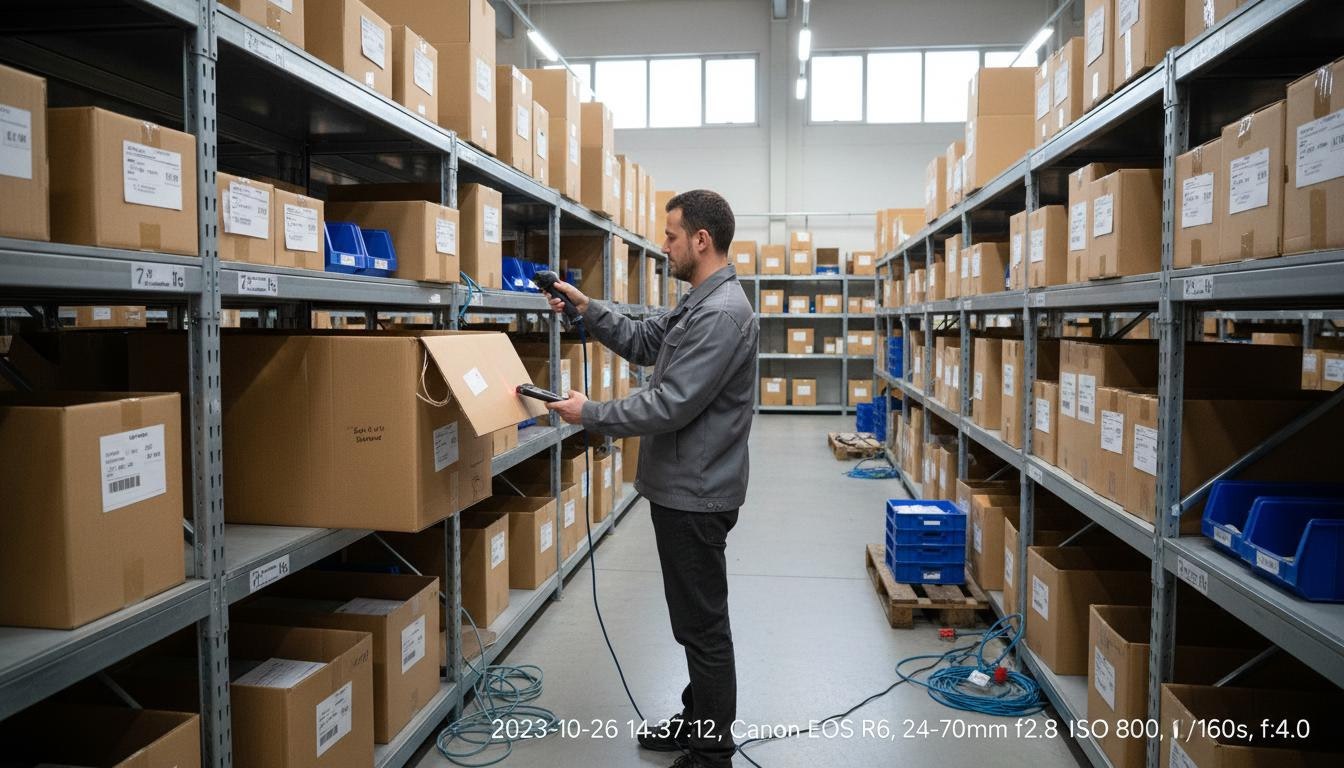
When a Tokyo-based manufacturing company faced their ISO 27001 surveillance audit in 2025, the auditor asked for a complete inventory of all IT assets that could access customer data. The IT manager confidently opened their asset management spreadsheet—only to discover it hadn't been updated in eight months. Three new servers had been deployed for a project, twenty laptops had been purchased for new hires, and a network upgrade had replaced several switches. None of this was reflected in the "official" inventory. The auditor issued a major finding, noting that without accurate inventory, the company couldn't demonstrate that all systems were properly secured and patched. The remediation project took three months and cost ¥2.5 million.
This scenario illustrates why IT inventory management is foundational to IT governance. You can't secure what you don't know you have. You can't maintain what you can't find. And you can't demonstrate compliance without accurate records. This guide explains how to build and maintain accurate IT inventory in Japan's unique business environment.
The Foundation of Effective IT Management
IT inventory management is the practice of tracking all IT assets in your organization—where they are, what they are, who uses them, and how they're configured. While often confused with IT Asset Management (ITAM), inventory management is more focused: it's specifically about knowing what you have and where it is, rather than the broader financial and contractual tracking that ITAM encompasses.
Think of inventory management as the foundation upon which other IT practices are built. Security patching, compliance audits, support services, and financial management all depend on accurate inventory. When inventory is wrong, everything built on it is compromised.
Why Inventory Accuracy Matters
The consequences of inaccurate inventory are significant:
Security gaps: Unpatched systems are a primary attack vector. If your inventory doesn't include a server, that server may not receive security patches, creating a vulnerability that attackers can exploit. The 2017 Equifax breach, which exposed data on 147 million people, was caused by an unpatched server that the security team didn't know existed.
Compliance failures: Auditors expect you to demonstrate control over your IT environment. If you can't produce an accurate inventory, you can't demonstrate that you've secured all systems or that you've properly managed data.
Cost overruns: Inaccurate inventory leads to duplicate purchases, emergency procurement, and paying maintenance on equipment that's been retired. Organizations with poor inventory management typically overspend by 10-15% on IT.
Operational inefficiency: Support takes longer when technicians don't know what equipment users have. Projects are delayed when discovery is needed before planning can begin.
Audit failures: Whether it's a regulatory audit, financial audit, or vendor audit, inaccurate inventory creates findings that require costly remediation.
Cost of Inaccurate Inventory
The financial impact of poor inventory management adds up:
Duplicate purchases: Buying equipment you already have because you don't know it exists. A company might purchase new laptops for a project when suitable machines are sitting unused in storage.
Emergency procurement: When you discover you need something you didn't know you needed, you often pay premium prices for rush delivery.
Maintenance waste: Continuing to pay maintenance contracts on equipment that's been retired or replaced.
Labor waste: IT staff spending time hunting for equipment, researching what's deployed, or manually reconciling conflicting records.
For a mid-market organization, the cost of poor inventory management typically ranges from ¥2-5 million annually in waste and inefficiency.
Compliance Implications
Japanese regulations create specific inventory requirements:
APPI compliance: The Act on Protection of Personal Information requires knowing what equipment contains personal data. You can't protect data if you don't know where it is.
My Number tracking: Equipment that processes My Number data requires enhanced tracking and documentation. Accurate inventory is essential for demonstrating proper handling.
Industry regulations: Financial services, healthcare, and other regulated industries have specific inventory requirements as part of their compliance frameworks.
Audit evidence: Inventory records are evidence that you have control over your IT environment. Inaccurate records suggest lack of control.
IT Inventory vs. IT Asset Management: Understanding the Difference
While related, inventory management and asset management serve different purposes.
Inventory: What You Have and Where It Is
IT inventory answers basic questions:
- What equipment do we have?
- Where is it located?
- Who is using it?
- What's its configuration?
Inventory is tactical and operational. It's about knowing the current state of your IT environment so you can operate it effectively.
Inventory data includes:
- Device type, make, and model
- Serial numbers and asset tags
- Physical location
- User assignment
- IP addresses and network information
- Software installed
- Configuration details
Asset Management: Full Lifecycle and Financial Tracking
IT Asset Management (ITAM) goes further:
- What did it cost?
- What's its depreciation status?
- When is maintenance due?
- When should it be refreshed?
- What's its total cost of ownership?
ITAM is strategic and financial. It's about optimizing IT investments over the complete asset lifecycle.
ITAM data includes:
- Purchase price and date
- Vendor and warranty information
- Maintenance contracts and costs
- Depreciation schedule
- License information
- Refresh planning data
- Disposition records
When Inventory Alone Is Sufficient
For smaller organizations or specific use cases, inventory management alone may be sufficient:
Small organizations: Companies with fewer than 50 assets may not need full ITAM. Simple inventory tracking may be enough.
Operational support: For day-to-day support and operations, inventory data is what's needed. Financial tracking can be handled separately.
Compliance documentation: For demonstrating control to auditors, accurate inventory may be sufficient without full financial tracking.
When Full ITAM Is Required
Larger or more complex organizations need full ITAM:
Financial reporting: Public companies and larger organizations need depreciation tracking and financial reporting that inventory alone doesn't provide.
Strategic planning: Organizations making significant IT investments need TCO analysis and lifecycle planning that ITAM provides.
Vendor management: Organizations with complex vendor relationships need contract tracking and spend analysis that goes beyond inventory.
Regulatory requirements: Some regulations require financial tracking of IT assets in addition to operational tracking.
Most mid-market organizations need both: inventory for operational management and ITAM for financial and strategic management. The key is ensuring they stay synchronized.
Building Your IT Inventory: Discovery Methods
Creating an accurate inventory requires multiple discovery methods. No single approach finds everything.
Automated Network Discovery Tools
Network scanning tools can discover a significant portion of your IT assets automatically.
How they work: Discovery tools scan your network ranges, identifying devices that respond. They use various protocols (SNMP, WMI, SSH, etc.) to gather information about discovered devices including type, manufacturer, model, and configuration.
What they find: Network discovery finds connected devices including servers, workstations, network equipment, printers, and some mobile devices. They're most effective for devices that are powered on and connected to the network.
Limitations: Discovery tools miss offline devices, isolated networks, and equipment in storage. They may also have limited visibility into cloud resources and mobile devices.
Popular tools: Lansweeper, ServiceNow Discovery, Microsoft Endpoint Configuration Manager, and open-source tools like Open-AudIT and OCS Inventory.
Agent-Based vs. Agentless Scanning
Discovery tools use different approaches:
Agent-based scanning: Software agents are installed on each device to collect and report inventory data. Agents provide detailed information and can collect data even when devices are offline from the central network (reporting back when connected).
Advantages: More detailed data, works for remote devices, can collect data continuously Disadvantages: Requires software installation, may not work on all device types, potential performance impact
Agentless scanning: Scans devices across the network without installing software, using protocols like SNMP, WMI, or SSH.
Advantages: No software installation, broader device support, no performance impact Disadvantages: Less detailed data, requires network connectivity, may require credentials
Hybrid approach: Many organizations use both—agent-based for managed devices where detailed data is needed, agentless for network equipment and devices where agents can't be installed.
Manual Audits and Physical Verification
Automated discovery doesn't find everything. Physical audits are essential.
Periodic physical counts: Conduct periodic physical audits of all locations. Walk through offices, data centers, and storage areas, verifying that discovered assets exist and finding assets that discovery missed.
Surprise audits: Unannounced spot checks of specific locations or asset types can identify process gaps and improve accuracy.
User self-reporting: Ask users to verify what equipment they have. This catches assets that may be missed by automated tools.
Receiving inspection: When new equipment arrives, verify it against purchase orders and add it to inventory before deployment.
Cloud Asset Discovery
Cloud resources need special discovery approaches:
Cloud provider tools: AWS, Azure, and GCP all provide tools for discovering resources in their environments. These should be integrated into your inventory process.
Cloud management platforms: Tools like CloudHealth, CloudCheckr, or native solutions (Azure Resource Manager, AWS Systems Manager) can provide unified visibility across cloud environments.
Tagging strategies: Implement consistent tagging in cloud environments to ensure resources can be tracked and attributed correctly.
Shadow cloud: Discover cloud resources that departments may have provisioned outside IT's visibility. CASB tools can help identify shadow IT cloud usage.
Mobile Device Inventory
Mobile devices are particularly challenging to track:
Mobile Device Management (MDM): MDM solutions like Microsoft Intune, VMware Workspace ONE, or Jamf can inventory managed mobile devices. However, they only see enrolled devices.
User reporting: For BYOD devices that access corporate data but aren't managed, user self-reporting may be the only option.
Access logs: Review access logs for corporate systems to identify mobile devices that may not be in your MDM.
Network access control: NAC solutions can identify devices connecting to the network, including mobile devices.
Essential Data to Track for Each Asset
What information should you collect for each asset? The answer depends on asset type and your specific needs, but here's a comprehensive framework.
Hardware Specifications
Basic identification:
- Asset tag (your internal identifier)
- Serial number (manufacturer identifier)
- Make and model
- Device type (laptop, desktop, server, network equipment, etc.)
Technical specifications:
- Processor type and speed
- Memory (RAM)
- Storage (type, capacity, configuration)
- Network interfaces (wired, wireless, Bluetooth)
- Display (size, resolution for monitors)
Physical characteristics:
- Form factor
- Weight (for mobile devices)
- Power requirements
- Physical dimensions (for rack-mounted equipment)
Location and Assignment
Physical location:
- Building/floor/room
- Data center rack (for servers)
- Home address (for remote workers)
Organizational assignment:
- Assigned user
- Department
- Cost center
- Project (if applicable)
Network location:
- IP address (static or dynamic)
- VLAN
- Network segment
Purchase Information
Procurement details:
- Purchase date
- Purchase order number
- Vendor
- Purchase price
- Warranty start date
Financial information:
- Depreciation schedule
- Book value
- Budget code
- Project code (if capitalized)
Warranty and Support Status
Warranty information:
- Warranty end date
- Warranty type (manufacturer, extended, third-party)
- Support contract number
- Support contact information
Maintenance status:
- Maintenance contract end date
- Maintenance level (next business day, 4-hour, etc.)
- Last maintenance date
- Next scheduled maintenance
Software Installations
Operating system:
- OS type and version
- Build number
- Patch level
- License key (if applicable)
Applications:
- Installed applications
- Versions
- License information
- Installation dates
Security software:
- Antivirus/endpoint protection
- Version and definition dates
- Encryption status
Security Status
Patch level:
- Last patch date
- Critical patches applied
- Outstanding critical patches
Security configuration:
- Firewall status
- Encryption status (full disk, file-level)
- Certificate status
Compliance status:
- Last compliance scan date
- Compliance findings
- Remediation status
Compliance Documentation
Data classification:
- Data types stored (personal information, financial, etc.)
- Data sensitivity level
- Regulatory requirements (APPI, My Number, etc.)
Audit trail:
- Date added to inventory
- Last verification date
- Audit history
Maintaining Inventory Accuracy
Creating an accurate inventory is only the beginning. Maintaining accuracy over time is the real challenge.
Regular Audit Schedules
Establish a schedule for verifying inventory:
Annual comprehensive audit: Conduct a complete physical audit of all locations annually. This is the baseline for inventory accuracy.
Quarterly spot checks: Perform unannounced spot checks of specific locations or asset types quarterly. This catches problems early.
Monthly reconciliation: Reconcile automated discovery data with your inventory database monthly. Identify and investigate discrepancies.
Event-triggered audits: Conduct audits after significant events—office moves, major deployments, or reorganizations.
Change Management Integration
Inventory should be updated as part of change management:
New deployments: Adding assets to inventory should be a required step in the deployment process. No equipment should be deployed without being inventoried.
Moves and changes: When assets are moved or reassigned, inventory should be updated as part of the move process.
Retirements: When assets are retired, inventory should be updated to reflect disposition. The asset record should be marked as disposed but retained for compliance purposes.
Configuration changes: When asset configurations change (memory upgrades, software installations), inventory should be updated.
Automated Discovery Frequency
Run automated discovery regularly:
Daily discovery: For dynamic environments, daily network scans catch new devices quickly.
Weekly discovery: For more stable environments, weekly scans may be sufficient.
Continuous monitoring: Some tools offer continuous monitoring that detects new devices as they connect.
Alerting: Configure alerts for new devices discovered that aren't in inventory. This triggers investigation and inventory updates.
Discrepancy Resolution Processes
When discrepancies are found, have a process for resolving them:
Investigation: Determine why the discrepancy exists. Was the asset missed in discovery? Was it deployed without being inventoried? Was it stolen?
Correction: Update inventory to reflect the actual state.
Root cause analysis: Determine what caused the discrepancy and address the root cause. If assets are being deployed without inventory updates, improve the deployment process.
Process improvement: Use discrepancy findings to improve inventory management processes.
Roles and Responsibilities
Clear ownership is essential:
Inventory manager: Overall responsibility for inventory accuracy. This person oversees audits, manages discrepancies, and reports on inventory status.
Asset custodians: Department or location managers who are responsible for assets in their area. They assist with audits and report changes.
IT staff: Responsible for updating inventory when they deploy, move, or retire assets.
Procurement: Responsible for ensuring new purchases are added to inventory before deployment.
Japan-Specific Inventory Challenges
Managing inventory in Japan has unique aspects.
Mixed Japanese/English Asset Naming
Bilingual environments create naming challenges:
Language-neutral identifiers: Consider using numeric asset tags that work in both languages (e.g., "TOK-12345" rather than "東京ノートPC-12345").
Consistent conventions: Establish naming conventions that work across languages. If some assets are named in English and others in Japanese, searching and reporting become difficult.
Character encoding: Ensure your inventory system properly handles Japanese characters. UTF-8 encoding is essential.
Search functionality: Verify that inventory search works for both English and Japanese terms. Users should be able to find assets regardless of which language they search in.
Integration with Japanese Accounting Systems
Financial tracking may need to integrate with Japanese systems:
Data export: Inventory systems should be able to export data in formats compatible with Japanese accounting software like Yayoi Accounting or MF Cloud.
Depreciation methods: Japanese tax regulations specify depreciation methods that may differ from global standards. Ensure your system can handle Japan-specific depreciation.
Fiscal year alignment: Japan's fiscal year (April-March for many companies) may differ from global fiscal years. Inventory reporting may need to support multiple fiscal calendars.
My Number System Tracking Requirements
Equipment that processes My Number data requires enhanced tracking:
Identification: Clearly identify which assets process My Number data. This may require a specific field in your inventory system.
Access logging: Track who accesses My Number processing systems. This may require integration with access control systems.
Enhanced security: My Number systems require enhanced security controls. Inventory should track which controls are implemented.
Disposal tracking: When My Number systems are retired, enhanced disposal documentation is required. Inventory should support this tracking.
Vendor-Specific Asset Tags and Formats
Different vendors use different tagging schemes:
Normalization: Vendors may use different formats for serial numbers, model numbers, and other identifiers. Your inventory system should normalize these for consistent searching.
Multiple identifiers: Some equipment may have multiple identifiers (manufacturer serial number, vendor asset tag, your asset tag). Track all of them with clear labeling.
Barcode/RFID support: Consider using barcode or RFID scanning for efficient inventory audits. Ensure your system supports the formats your vendors use.
Multi-Location Inventory Coordination
Organizations with multiple Tokyo locations or regional offices face coordination challenges:
Central vs. local inventory: Decide whether inventory is managed centrally or locally. Central management provides consistency; local management may be more responsive.
Inter-location transfers: When assets move between locations, ensure inventory is updated. This requires clear processes and communication.
Regional variations: Different locations may have different equipment standards or vendor relationships. Inventory should accommodate these variations while maintaining consistency.
Inventory Tools Comparison for Tokyo Businesses
Selecting the right tool is important for inventory success.
Lansweeper
Best for: Small to medium businesses (up to 1000 assets)
Strengths:
- Strong automated discovery of Windows, Mac, Linux, and network devices
- Agentless scanning reduces deployment complexity
- Good reporting and dashboard capabilities
- Reasonable cost
- Active community and good documentation
Japan considerations:
- Interface is English-only
- No native integration with Japanese accounting systems
- May require workarounds for Japan-specific requirements
Cost: ¥150,000-600,000/year depending on asset count
ServiceNow
Best for: Large enterprises (1000+ assets)
Strengths:
- Comprehensive ITAM with strong discovery
- Excellent workflow automation
- Strong integration capabilities
- Enterprise-grade security
- Good multi-language support including Japanese
Japan considerations:
- Strong Japan presence with local support
- Can integrate with Japanese business systems
- Higher cost may be prohibitive for smaller organizations
Cost: ¥2,000,000+ annually for mid-size deployments
Freshservice
Best for: Mid-market organizations (100-1000 assets)
Strengths:
- Good balance of features and cost
- Modern, intuitive interface
- Strong ITSM integration
- Reasonable multi-language support
- Cloud-based with minimal infrastructure
Japan considerations:
- Interface available in Japanese
- Good documentation and support
- May require customization for Japan-specific requirements
Cost: ¥500,000-1,500,000/year depending on features
Snipe-IT
Best for: Organizations with limited budgets
Strengths:
- Open source and free to use
- Good basic asset tracking
- Active community
- Customizable
Japan considerations:
- No official Japan support
- Interface is English-only
- Requires technical expertise
- Limited integration capabilities
Cost: Free (self-hosted) or ¥50,000-100,000/year (cloud-hosted)
---
About AKRIN
AKRIN K.K. is a Tokyo-based managed IT services company founded in 2024, providing IT inventory management services for international companies operating in Japan. We help organizations implement accurate inventory tracking that satisfies both operational needs and Japan-specific compliance requirements including APPI and My Number tracking. From tool selection and implementation to ongoing audit support, we provide the expertise you need to maintain control of your IT environment. Contact us for a free inventory assessment.
---
Related Articles
- IT Asset Management Japan: Complete Framework for Compliance
- IT Lifecycle Management Tokyo: From Procurement to Disposal
- Hardware Asset Management Tokyo: Tracking and Refresh Strategies
---