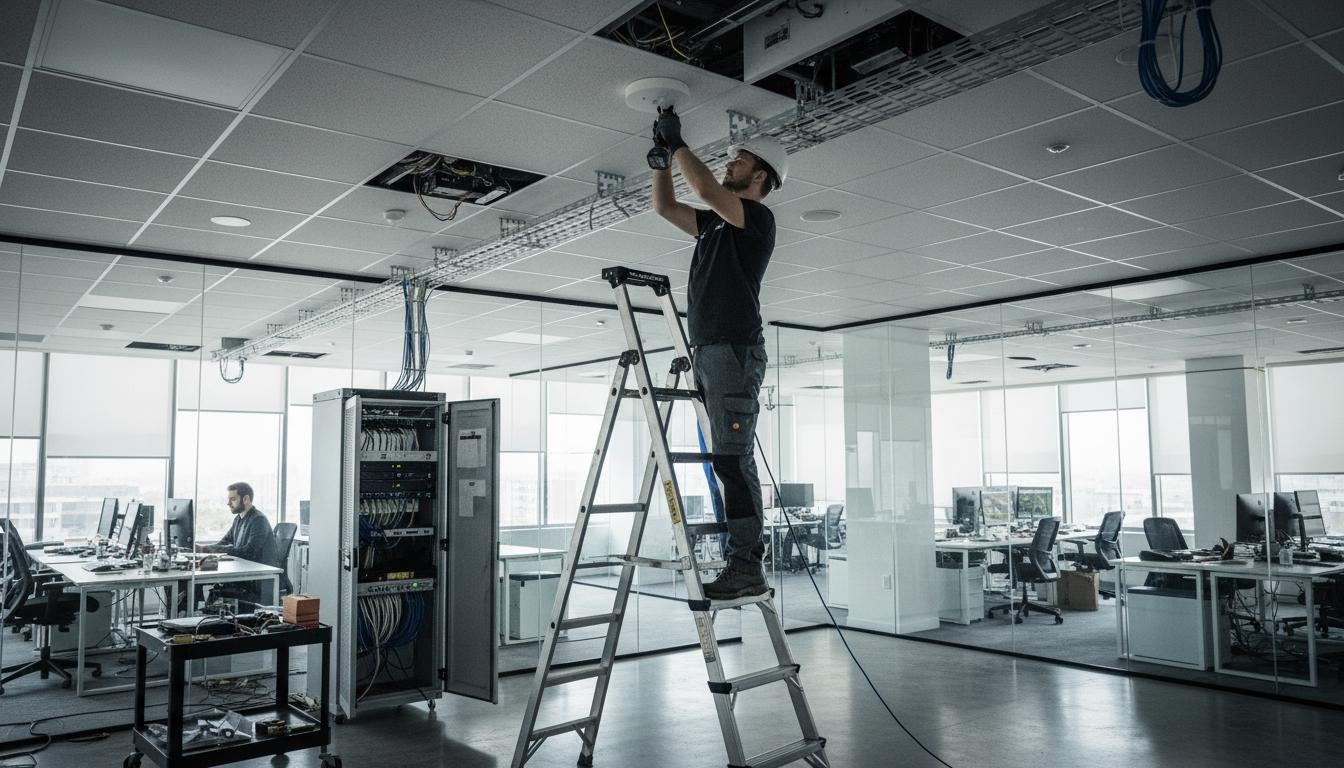
When a global consulting firm redesigned their Tokyo office WiFi in 2025, they approached it like their offices in London and New York. They specified the same access point model, the same density (one AP per 150 square meters), and the same configuration templates. The result was disappointing. In the open office area, where 80 consultants worked in close proximity, WiFi speeds dropped to a crawl during peak hours. Video conferencing was unusable. The conference rooms, designed with floor-to-ceiling glass walls for aesthetics, had dead zones where signals couldn't penetrate. And the guest network, using the same infrastructure as the corporate network, created security concerns. After six months of complaints, they brought in wireless specialists to redesign the network. The new design used WiFi 6 access points with higher density (one AP per 75 square meters), separate RF profiles for different areas, dedicated spectrum for video conferencing, and network segmentation that isolated guest traffic. The cost of the redesign was ¥1.2 million—but the productivity gains and user satisfaction improvements were immediate and sustained.
This story illustrates why enterprise WiFi design matters, and why Tokyo's unique environment requires specific approaches. This guide explains the standards and best practices for designing high-performance enterprise WiFi networks in Japan.
Enterprise WiFi Requirements vs. Consumer WiFi
Enterprise WiFi has requirements that consumer-grade solutions can't meet.
Reliability and Uptime Expectations
Enterprise WiFi must be reliable:
Availability targets: Enterprise networks typically target 99.9% availability or higher. This means less than 9 hours of downtime per year.
Redundancy: Enterprise designs include redundancy so that single points of failure don't take down the network. This may include redundant APs, controllers, and internet connections.
Proactive monitoring: Enterprise networks are monitored continuously with alerts for problems. Issues are addressed before users notice them.
SLA support: Enterprise vendors provide service level agreements with guaranteed response times for problems.
Capacity and Density Requirements
Enterprise networks must support high density:
User density: Enterprise environments may have 50-100+ users per access point in open office areas. Consumer APs are designed for 10-20 users.
Device density: Each user may have 2-3 devices (laptop, phone, tablet). A 100-person office might have 250+ connected devices.
Application requirements: Enterprise users run bandwidth-intensive applications like video conferencing, file sharing, and cloud applications. Consumer networks are designed for web browsing and streaming.
Concurrent usage: In enterprise environments, many users are active simultaneously. Peak usage periods see heavy concurrent demand.
Security and Compliance Standards
Enterprise WiFi must meet security standards:
Authentication: Enterprise networks use strong authentication like 802.1X with RADIUS, not simple passwords.
Encryption: WPA3 encryption is standard for enterprise networks, providing stronger security than WPA2.
Network segmentation: Enterprise networks segment traffic by user type, device type, and application. Guest traffic is isolated from corporate traffic.
Compliance: Enterprise networks may need to meet regulatory compliance requirements like PCI DSS, HIPAA, or Japan's APPI.
Management and Scalability Needs
Enterprise networks must be manageable at scale:
Centralized management: Enterprise networks are managed through centralized controllers or cloud platforms, not individual AP configuration.
Scalability: Enterprise networks can scale from dozens to thousands of APs without redesign.
Zero-touch deployment: New APs can be deployed with minimal configuration, automatically joining the network and downloading settings.
Analytics and reporting: Enterprise platforms provide detailed analytics on network usage, performance, and issues.
WiFi Standards: From 802.11n to WiFi 6E
Understanding WiFi standards helps inform design decisions.
WiFi 4 (802.11n): Legacy Standard
802.11n was a major improvement over previous standards:
Released: 2009
Key features: MIMO (multiple antennas), 40 MHz channels, up to 600 Mbps theoretical speeds
Current status: Legacy standard, still common in older devices but not recommended for new deployments
When to use: Only if you have legacy devices that don't support newer standards
WiFi 5 (802.11ac): Current Mainstream
802.11ac is widely deployed:
Released: 2013
Key features: 5 GHz only, wider channels (up to 160 MHz), up to 3.5 Gbps theoretical speeds, MU-MIMO
Current status: Mainstream standard, adequate for most current deployments
When to use: Good for current deployments, but consider WiFi 6 for new installations
WiFi 6 (802.11ax): Current Best Practice
WiFi 6 is the current best practice for enterprise deployments:
Released: 2019
Key features:
- OFDMA (Orthogonal Frequency Division Multiple Access): More efficient use of spectrum, better for high-density environments
- Target Wake Time (TWT): Improves battery life for mobile devices
- 1024-QAM: Higher data rates
- BSS Coloring: Better performance in dense environments with neighboring networks
- Both 2.4 GHz and 5 GHz support
Performance: Up to 9.6 Gbps theoretical speeds, but real benefit is improved efficiency in dense environments
Current status: Recommended for all new enterprise deployments
When to use: All new enterprise deployments should use WiFi 6
WiFi 6E: Extended Spectrum
WiFi 6E adds 6 GHz spectrum:
Released: 2020
Key features: Access to 6 GHz band with 1,200 MHz of additional spectrum, less congested than 2.4 GHz and 5 GHz
Current status: Growing adoption, but 6 GHz availability varies by country. Japan has approved 6 GHz for WiFi, but device support is still growing.
When to use: Consider for high-density environments where 5 GHz is congested. Ensure client device support before deploying.
Future: WiFi 7 (802.11be)
WiFi 7 is on the horizon:
Expected: 2024-2025
Key features: 320 MHz channels, 4K-QAM, Multi-Link Operation (simultaneous use of multiple bands)
Current status: Not yet available, but on the roadmap
When to use: Not yet applicable for deployment decisions
Enterprise WiFi Design Principles
Core principles for enterprise WiFi design.
Coverage vs. Capacity Planning
Balance coverage and capacity:
Coverage-focused design: Ensures signal throughout the space. Appropriate for low-density areas like warehouses or outdoor spaces.
Capacity-focused design: Ensures adequate bandwidth for users. Appropriate for high-density areas like open offices and conference rooms.
Hybrid approach: Most enterprise designs use a hybrid approach, with capacity-focused design in high-density areas and coverage-focused design in low-density areas.
Density guidelines:
- Low density (offices, classrooms): One AP per 150-200 square meters
- Medium density (open offices): One AP per 100-150 square meters
- High density (conference rooms, auditoriums): One AP per 50-100 square meters
Cell Size and Channel Planning
Manage interference through cell design:
Cell size: The coverage area of each AP. Smaller cells reduce interference but require more APs.
Cell overlap: Adjacent cells should have 15-20% overlap for smooth roaming.
Channel planning: Adjacent cells should use non-overlapping channels to minimize interference.
Power control: Adjust AP power levels to create appropriately sized cells. Higher power isn't always better.
Band Steering and Client Balancing
Optimize client distribution:
Band steering: Encourage capable devices to use 5 GHz instead of 2.4 GHz. 5 GHz has more channels and less congestion.
Client balancing: Distribute clients evenly across APs. Prevents some APs from being overloaded while others are underutilized.
Load balancing: Some enterprise systems can dynamically balance load by adjusting power levels or steering clients.
Roaming Design
Enable smooth client roaming:
Roaming requirements: Clients should be able to move between APs without dropping connections.
Overlap requirements: 15-20% overlap between adjacent cells enables smooth roaming.
Fast roaming: 802.11r (Fast BSS Transition) enables faster roaming for voice and video applications.
Sticky client prevention: Some clients don't roam well. Enterprise systems can help "push" clients to better APs.
High-Density WiFi Design for Tokyo
Tokyo's density requires specific approaches.
Density Challenges in Tokyo Offices
Tokyo offices are often high-density:
Open office designs: Modern offices often use open designs that pack many users into a small area.
Hot-desking: Hot-desking and hoteling increase density as more people share the same space over time.
Meeting spaces: Conference rooms and meeting spaces can have very high density during meetings.
Device proliferation: Each user may have multiple devices, multiplying the number of connected devices.
WiFi 6 Benefits for High-Density Environments
WiFi 6 is specifically designed for high-density environments:
OFDMA: Divides channels into smaller sub-channels, allowing more efficient use of spectrum. Multiple users can be served simultaneously.
BSS Coloring: Helps APs distinguish between their own traffic and interference from neighboring networks. Improves performance in dense RF environments.
Target Wake Time: Allows devices to schedule when they wake up to communicate, reducing contention and improving battery life.
1024-QAM: Higher data rates enable faster transfers, reducing airtime usage.
AP Density Recommendations for Tokyo
Higher density is typically needed in Tokyo:
Open office areas: One AP per 75-100 square meters (versus 150+ in less dense environments)
Conference rooms: One AP per 50-75 square meters, or dedicated APs for larger rooms
High-density spaces: Auditoriums, cafeterias, and event spaces may need APs every 30-50 square meters
Coverage areas: Lobbies, hallways, and outdoor areas may be lower density
Channel Planning in Congested Environments
Channel planning is critical in Tokyo:
2.4 GHz limitations: Only three non-overlapping channels (1, 6, 11). In dense environments, 2.4 GHz is often completely saturated.
5 GHz advantages: 24 non-overlapping channels in 5 GHz. Use 5 GHz as much as possible.
DFS channels: Additional channels available with DFS. Consider using DFS channels if your equipment supports them.
6 GHz future: As WiFi 6E adoption grows, 6 GHz will provide additional spectrum.
Automatic channel selection: Enterprise systems can automatically select optimal channels based on RF environment.
Enterprise WiFi Security Standards
Security is critical for enterprise WiFi.
Authentication Methods
Strong authentication is essential:
WPA2-Enterprise (802.1X): Uses RADIUS server for authentication. Each user has unique credentials. Current standard for enterprise networks.
WPA3-Enterprise: Enhanced security over WPA2. Uses 192-bit encryption for sensitive data environments. Recommended for new deployments.
Certificate-based authentication: Uses client certificates for authentication. More secure than passwords but requires certificate management infrastructure.
Multi-factor authentication: Combines WiFi authentication with additional factors like device certificates or posture assessment.
Network Segmentation
Segment traffic for security:
Corporate SSID: For corporate devices with full network access. Uses strong authentication.
Guest SSID: For visitors and guests. Isolated from corporate network. May use simpler authentication (captive portal).
IoT SSID: For IoT devices with limited access. Restricts what devices can reach.
BYOD SSID: For employee personal devices. May have different access levels than corporate devices.
Role-based access: Within corporate network, use role-based access control to limit what users can access based on their role.
Encryption Standards
Use strong encryption:
WPA2/AES: Minimum acceptable encryption. Uses AES-CCMP cipher.
WPA3: Enhanced encryption with individualized data encryption. Prevents eavesdropping even on the same network.
GCMP-256: Galois/Counter Mode Protocol with 256-bit encryption. Used in WPA3-Enterprise 192-bit mode.
Monitoring and Threat Detection
Monitor for security threats:
Rogue AP detection: Detect unauthorized access points that may be security threats.
Client isolation: Prevent clients on the same network from communicating with each other.
Intrusion detection: Monitor for suspicious activity and potential attacks.
Compliance monitoring: Ensure network meets compliance requirements (PCI DSS, etc.).
Vendor Selection for Enterprise WiFi
Choose the right vendor for your needs.
Major Enterprise WiFi Vendors
Cisco:
- Market leader with comprehensive portfolio
- Catalyst and Meraki product lines
- Strong enterprise features and integration
- Premium pricing
- Excellent for large, complex environments
Aruba (HPE):
- Strong competitor to Cisco
- Good wireless performance and features
- Often more cost-effective than Cisco
- Strong ClearPass for access control
- Good for mid-market to enterprise
Juniper Mist:
- AI-driven wireless platform
- Strong analytics and automation
- Good user experience focus
- Growing enterprise presence
- Good for organizations wanting modern, cloud-managed WiFi
Ruckus (CommScope):
- Strong RF performance
- Good for challenging RF environments
- Competitive pricing
- Good for organizations prioritizing coverage and performance
Ubiquiti:
- Lower-cost option
- Good for smaller deployments
- Less enterprise-grade features
- Good for budget-conscious organizations
Cloud-Managed vs. On-Premises
Choose management model:
Cloud-managed:
- Simplified management through cloud portal
- Automatic updates and feature additions
- Subscription pricing
- Examples: Cisco Meraki, Aruba Central, Juniper Mist
On-premises:
- Controllers on-site
- More control over infrastructure
- Capital expense model
- Examples: Cisco Catalyst, Aruba Mobility Controllers
Hybrid: Some vendors offer hybrid options with both cloud and on-premises elements.
Selection Criteria
Evaluate vendors based on:
Features: Does the vendor support the features you need? (WiFi 6, WPA3, etc.)
Performance: How does the vendor perform in your specific environment?
Scalability: Can the solution scale to meet your growth needs?
Integration: Does it integrate with your existing infrastructure?
Support: What level of support is available in Japan?
Cost: Total cost of ownership including hardware, licenses, and support.
Implementation Best Practices
Deploy enterprise WiFi effectively.
Pre-Deployment Planning
Plan before deploying:
Requirements gathering: Document requirements including coverage, capacity, security, and applications.
Site survey: Conduct predictive or active site survey to plan AP placement.
Design validation: Validate design with stakeholders before procurement.
Pilot testing: Consider pilot deployment in a limited area before full rollout.
Phased Deployment
Deploy in phases:
Phase 1: Core areas: Deploy to most critical areas first (main office areas, conference rooms).
Phase 2: Secondary areas: Deploy to secondary areas (lobbies, break rooms, outdoor spaces).
Phase 3: Optimization: Optimize based on feedback and performance data.
Testing and Validation
Test thoroughly:
Coverage testing: Verify coverage throughout the space.
Performance testing: Test performance under load.
Roaming testing: Verify smooth roaming between APs.
Application testing: Test critical applications on the new network.
Security testing: Verify security configuration.
Documentation and Training
Document and train:
Network documentation: Document design, configuration, and procedures.
User documentation: Provide user guides for connecting to WiFi.
Admin training: Train administrators on management tools and procedures.
Support training: Train support staff on troubleshooting.
---
About AKRIN
AKRIN K.K. is a Tokyo-based managed IT services company founded in 2024, specializing in enterprise WiFi design and deployment for international companies operating in Japan. We design high-performance WiFi networks using WiFi 6 technology, optimized for Tokyo's high-density environment. From site surveys to deployment to ongoing management, we provide end-to-end WiFi services that meet enterprise requirements for performance, security, and reliability. Contact us for a free WiFi design consultation.
---
Related Articles
- Ekahau Wireless Survey Japan: Professional WiFi Assessment and Design
- WiFi Assessment Tokyo: Diagnosing and Fixing Enterprise Wireless Problems
- Wireless Site Survey Tokyo: When, Why, and How to Assess Your WiFi
---